© 2013 Kinetic Distribution | Website development by Truepoint Technologies



NanoCAD CONSTRUCTION
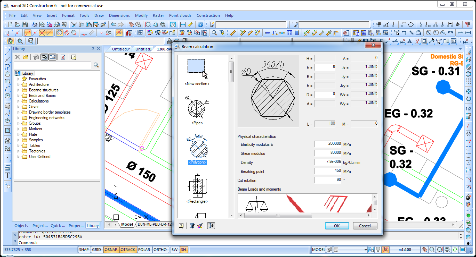
nanoCAD Construction is a progressive 2D design and drafting software for Facilities Management engineers, construction engineers and drafters with an unlimited library of standard parts and tools; which is planned to help routine design tasks of buildings and construction engineers and for AEC drawings development. nanoCAD Construction software offers engineers and drafters prospects and visions in the field of automation of design with construction work in various areas of the AEC industry.
Features :
Support of *.dwg format
nanoCAD Construction offers support of all versions of *.dwg format. Users can save data in all the versions of dwg format compatible with AutoCAD, comprising of AutoCAD LT. DWG is a native format of nanoCAD Construction and all files are saved in it.
2D drafting functions
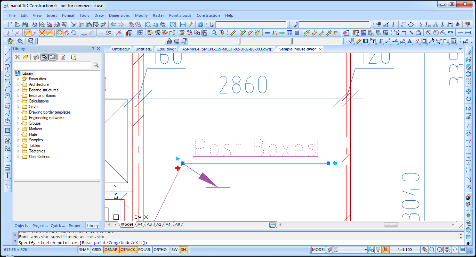
nanoCAD consist of all vital functions for 2D drafting. The nanoCAD Construction software is designed for final planning of drawings in contract to drafting standards, but also can be used to create engineering drawings from scratch. Common instruments will offer you to form an engineering drawing of any complexity, to edit it, to add dimensions, to work with multi- or single-line texts, raster inserts, external references and many other objects.
Architectural plans
Architecture module of nanoCAD Construction software offers you to draw plans using superior instruments and objects, consisting of:
Linear and arc shaped walls that automatically joins
Personalized templates of walls (geometry, attributes, multi-layer construction properties)
Wall edit tools (trim, break, join) using platform commands or grips
Insertion of windows and doors using database of templates
Multifunction-Grips in drawing design elements
nanoCAD Construction objects use their intelligent application that can be seen in contact between objects on the drawing while editing. An object covers a number of graphical primitives that work as a total. A special grip authorizes you to stretch, rotate, move and rotate object or adjust its geometry and start object-related directions. The commands can be well achieved using context menu.
Tables and advance table edit
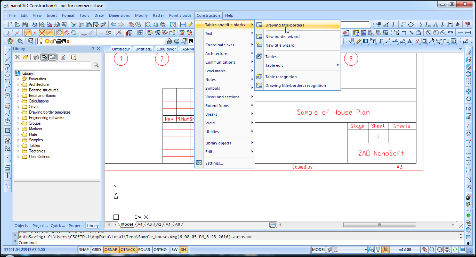
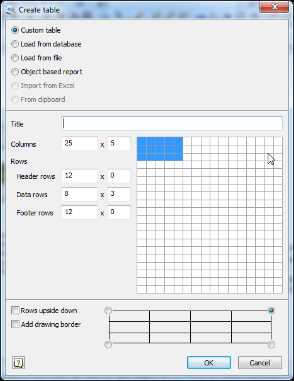
Standard-defined table methods are covered in nanoCAD Construction database, but internal table editor is a very commanding tool to build tables of any complexity. Table design application consists of:
Cell style (text style and alignment, line weight, number value rounding)
Table headers and footers
Using of table calculations
Customization in nanoCAD Construction
nanoCAD Construction is extremely customizable and can meet necessities of every standard. Things that can be modified in the software are:
Dimension style
Text style and fonts
Drawing borders and title block templates
Drawing design utilities
Drawing design utilities simply assist architect or engineer:
To make user-defined hatch pattern in *.pat file
To make and calculate plate array
To create a fully-customized array of objects
To design a hole chart
Scaling of objects
Construction drawings have a lot of views of a different scale. nanoCAD Construction uses symbol scale property to modify the scale of particular fragment in just two clicks. It also supports you to avoid generating a set of text and dimension styles. nanoCAD Construction symbol scale also can change platform primitives such as texts, line type scale or dimensions.
Drawing borders and title blocks
nanoCAD Construction have instruments of placement of drawing borders and title blocks in accord with ISO, DIN, IS standards.
Library of parametric objects
Library of parametric objects is preinstalled with nanoCAD Construction. It covers standard parts and templates:
Concrete foundations, beams and columns
Steel profiles (ISO, IS, DIN, GOST)
Fasteners (ISO, DIN, IS, CSN, PN/M, GOST)